


Atom · Free forever
ONE ELEMENT.A CLOSER LOOK.
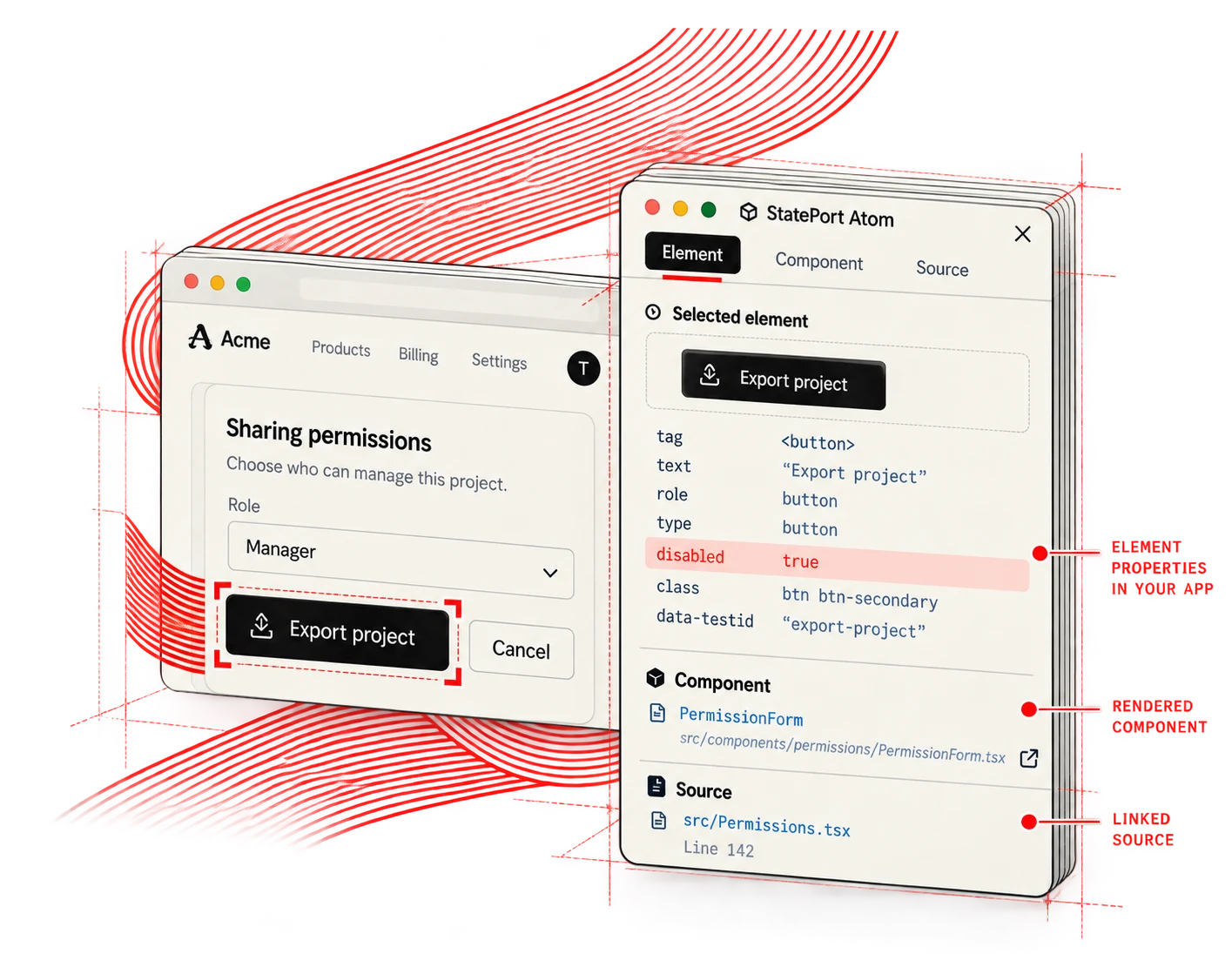
Select a page element. Inspect its properties, component context and linked source. Edit locally, then explicitly inspect again.
Included in the StatePort browser extension. Capture a reproduction or inspect an element with Atom. Use the side panel or a floating window.
Free forever. No card. No countdown.
01 — HOW IT WORKS
From element to understanding.
Choose an element. Inspect the property. Follow its component and linked source to see how it is built.
01 / Choose the element
02 / Inspect the property
03 / Follow its context
02 — SEE DIFFERENT ELEMENTS
Inspect what matters.
Text, inputs and buttons: understand the specific element you are working with, in its real context.
01 / Text label
02 / Input field
03 / Button
03 — MAKE A CHANGE
Inspect again after a local edit.
Change your own code, then inspect the element again to observe its rendered properties. Keep each observation explicit.
Set up the StatePort extension →01 / Before the local edit
02 / Inspect again after the edit
03 / Linked source
BACK TO THE WORK